


Online Courses
The 6 Best Alternatives to Teachable
If you’re ready to build an online course that wows your students, we’ve got you covered with these Teachable alternatives.
Author
Mighty Team
Last Updated
July 18, 2026


Table of Contents
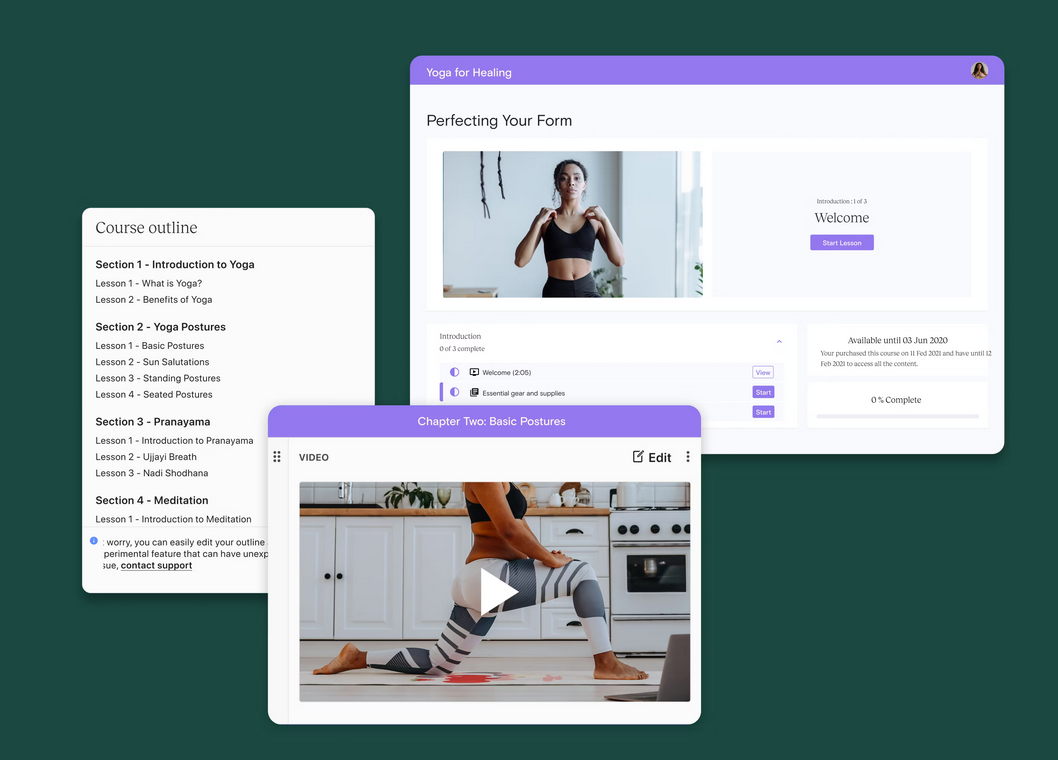
Founded in 2014, Teachable is a course platform with a lot of name recognition. It lets you create and sell your course with an intuitive course builder, and it also gives you landing pages to help sell it.
However, Teachable is missing some features for hosting interactive communities or live teaching, and works best for asynchronous learning.
In this article, we'll introduce you to the best Teachable alternatives for every type of creator.
6 Alternatives to Teachable (Quick Chart)
Here's a quick guide to the best alternatives to Teachable. You can click the links to dive deeper into each option.
Best Features | Use For | Starting From | |
|---|---|---|---|
Async & live courses, community, livestreams, events & branded apps | Courses with integrated community engagement + live sessions | $79/mo | |
Funnels, marketing automation, async courses, live/cohort courses (newer addition) | Marketing pre-recorded online courses | $143/mo | |
Site builder, landing pages, email automation | Courses & course websites | $40/mo | |
Simple community space, native livestreaming, chat, async courses as secondary feature | Simple, easy community space with courses added in | $89/mo | |
Massive course marketplace, built-in audience, global reach | Course visibility via marketplace | Udemy keeps up to 63% | |
Website builder, built-in email marketing, digital products + courses | Websites & digital products | $42/mo + 5% fees |
Advantages to Teachable
Quick to get started and set up a course
Good LMS for asynchronous courses with certification options
Intuitive landing page builder
Some built-in course marketing tools with order bumps and upsells and an affiliate program
Payment processing for one-time sales, bundles, or subscriptions
AI scripting, outlines, and course content with multi-language transcriptions
An AI quiz generator that builds questions from course material
Where Teachable Struggles
We mentioned a few of the disadvantages of Teachable in the intro. Here are the limitations that cause some people to choose a Teachable alternative.
The most affordable tiers have limits on products and students and/or high transaction fees.
No native livestreaming: You can embed a third-party livestream or webinar in a course lesson, but Teachable doesn't provide its own native live video tool, creating a limitation for a live cohort course.
Limited tools for running an online course community. Teachable's standalone community feature is in maintenance mode. Existing communities will continue to work, but Teachable says it isn't adding new features or actively fixing reported bugs and recommends against launching new communities. Course comments are still available for lesson-level discussion.
No option to add branded apps.
How we compare Teachable alternatives
Course delivery format: What options does it give you for teaching different kinds of courses, live teaching, adding assessments, custom lesson designs, and learning paths.
Monetization models: Can you sell courses & related products in different ways (e.g. bundles, different currencies, subscriptions, etc.)? And do you own the platform or is the course on a marketplace platform?
Marketing tools: Can you get a course seen, build your course brand, and reach new potential students? This could include email campaigns and onboarding flows.
Community & engagement features: Can you add interactive experiences, communities, and other engagement features?
AI & automations: Can you enhance course delivery with AI course tools to scale your efforts or automation tools to boost retention, things like gamification, challenges, and automatic unlocks?
The 6 Best Teachable Alternatives
Mighty Networks
Best Teachable alternative for live learning & communities
Mighty Networks is a community platform with the option for both asynchronous learning and live teaching, and courses are nested in G2's top-rated community platform. It comes with flexible course Spaces that can integrate courses with live events, livestreaming, forums, messaging, and member profiles.


Mighty lets you build asynchronous courses with video, audio, text, PDFs, dripped content, and a course discussion under each module. It has communication tools: polls and questions, rich media articles, chat & messaging, as well as online events with RSVPs.
Mighty can bundle and sell courses with other digital products like forums, mastermind groups, premium memberships, and virtual events. It has Integrated AI for outlining courses, improving text, generating discussion questions, member matching & introductions, and 1-click re-engagement. And Community gamification & automation tools like challenges, leaderboards, unlocks, points, new member journeys, and recognitions boost engagement.


Finally, Mighty has apps for every device and branded mobile apps for established course creators.
Mighty Networks is a great Teachable alternative for course-builders who want to integrate community and live experiences. And it works well for bundling other digital products like coaching, memberships, or virtual events. The option to add a branded app is one more benefit of Mighty, with premium apps created with the Mighty Pro team.
A few limitations of Mighty. It includes course landing pages, but doesn't have multi-page websites or funnel-building, so it's not the right choice for course builders who want async courses with heavy marketing tools.
Kajabi
Best alternative for asynchronous courses with sales funnels
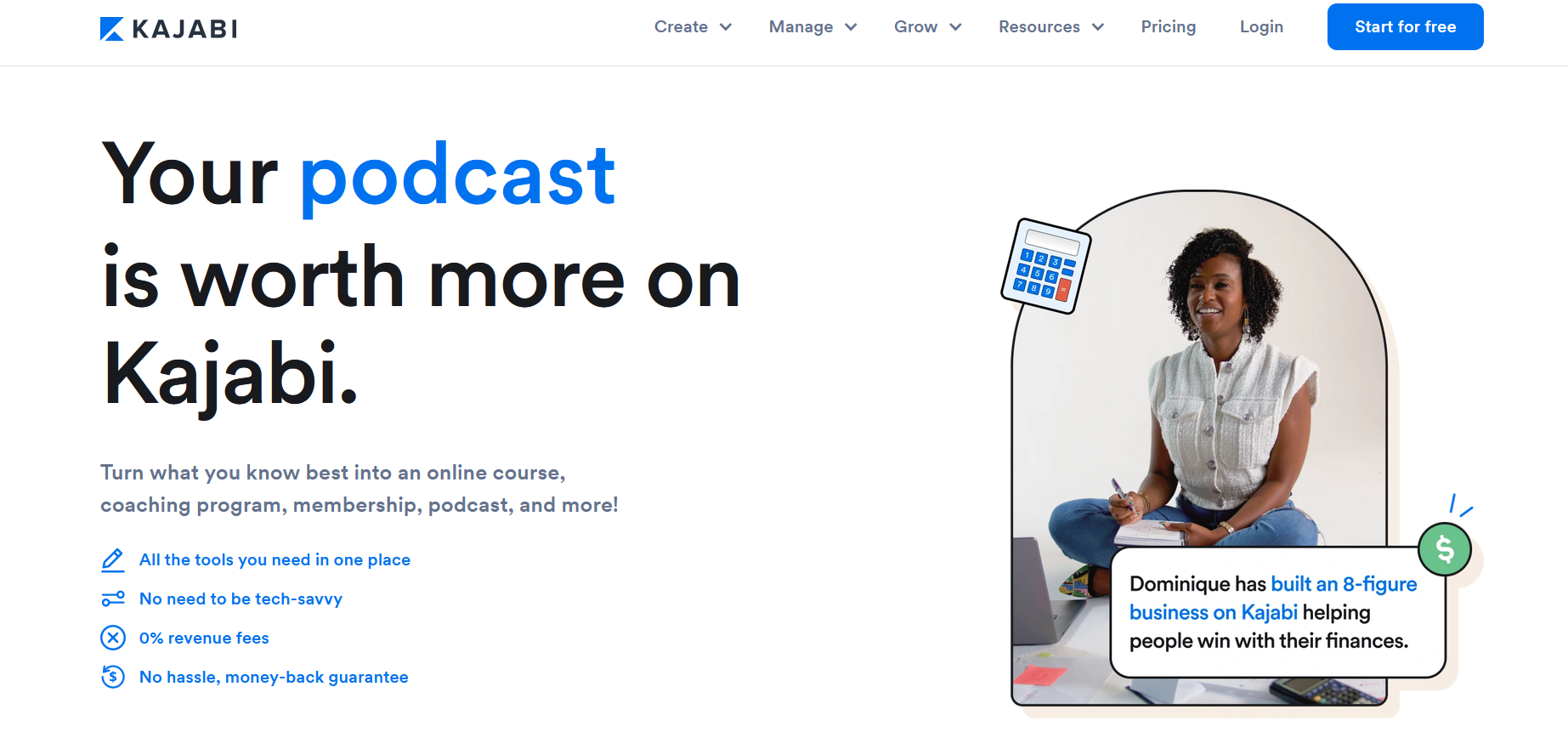
Kajabi is a well-known platform for running paid memberships and online courses. If you're looking for an alternative to Teachable that will give you a complex course-marketing platform and delivery together in one place on the web, Kajabi is a good option.
Kajabi includes comprehensive marketing tools to deliver email campaigns, welcome flows, weekly updates, and more. They have optimized marketing landing pages to create email waitlists or sell exclusive "windows" for purchase, and they have checkout and payments that support multiple currencies around the world.
Kajabi includes some branding options and you can even add a branded app. Kajabi builds and maintains the app, although customers still need developer accounts and participate in parts of the Apple and Google publishing process.
Kajabi is a good choice for pre-recorded courses. It's not as strong for live courses or communities. Its tools to offer things like live lessons and community chats were added through acquiring another platform. As such, the UX isn't integrated with the courses–it loads in a different part of the product–and it's missing advanced community features of competitors with a stronger community focus.
Kajabi is also one of the more expensive options on this list, although its built-in email, website, and marketing tools may replace separate software for some creators. For a deeper side-by-side look at their course and marketing features, see our Kajabi vs. Teachable comparison.
Thinkific
Best low-cost option for async courses with websites
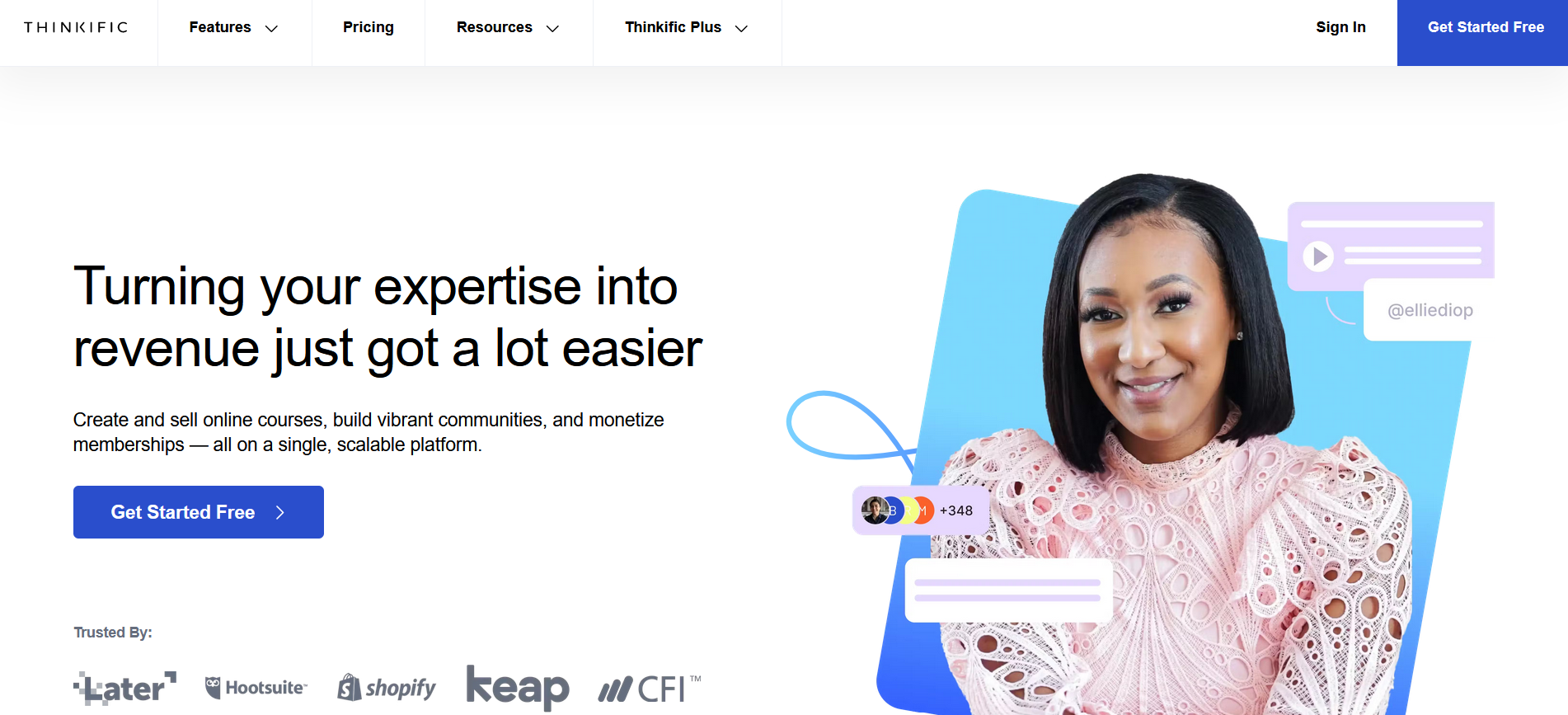
If you're looking for an alternative to Teachable to deliver just your online courses, Thinkific is a similar course platform with a strong LMS and course website builder.
Thinkific includes a drag-and-drop approach to course building, giving you lots of options for customizing the look and feel of your course. And the course delivery with async, built courses is strong. Thinkific also has advanced quizzing with AI, with question banks and randomization, as well as surveys you can use to communicate with people who take your courses.
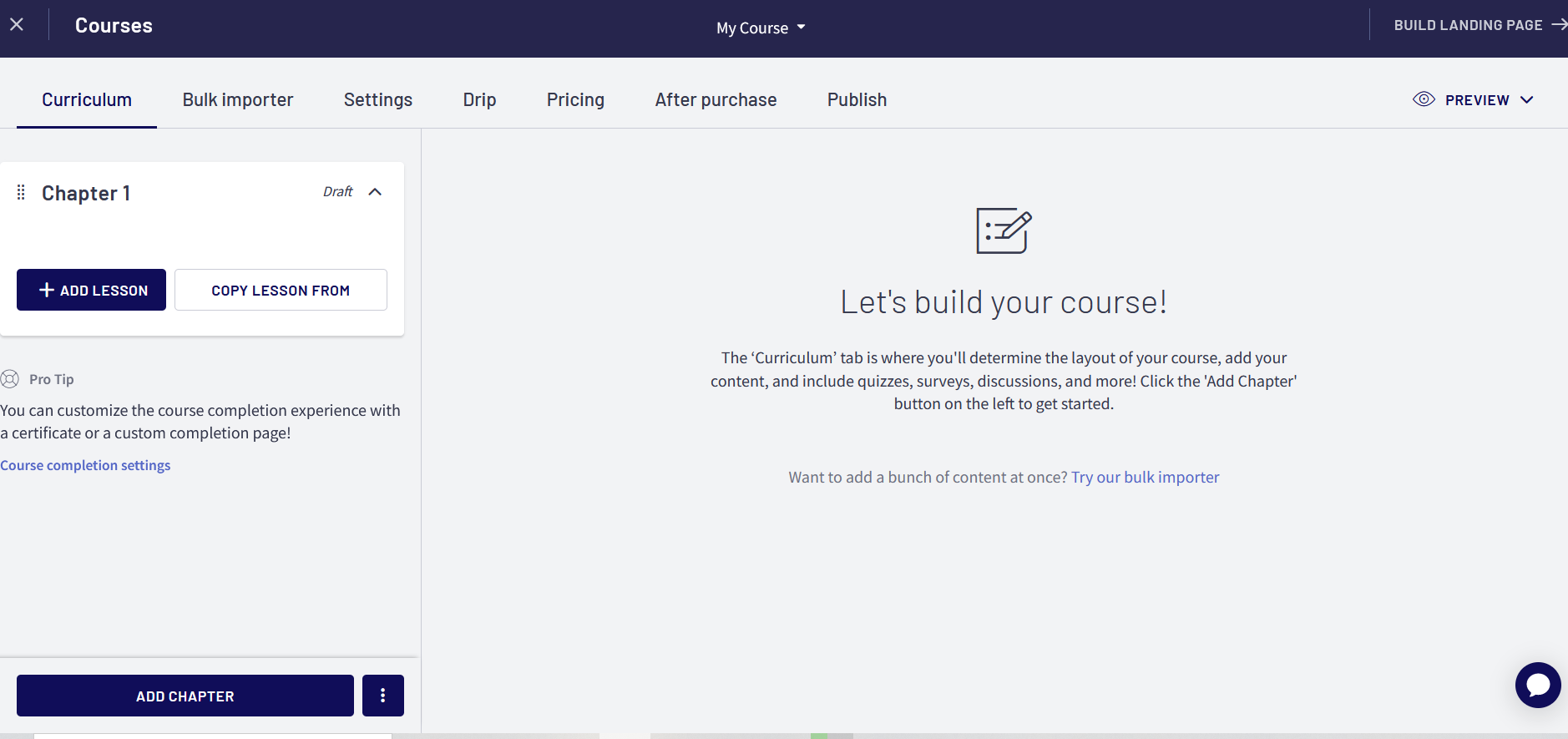
Thinkific has moderate community features, with forums and direct messaging; it's a feature they've been adding to. It still does not have native livestreaming, requiring third-party integration for live learning.
Thinkific's notable downside is its apps, which have consistently low reviews. People mention problems with UX, glitching, and crashes.
Overall, Thinkific does a lot of what Teachable does, at a lower cost than a comparable async-first platform like Kajabi.
Circle
Best for creating a simple community space with async courses added in

Circle is an all-in-one community platform that bundles courses, live events, chat, email marketing, and a website builder into a single product.
Circle offers asynchronous courses as well as separate community Spaces, with discussion areas, live Q&As, and leaderboards. It also includes native livestreaming, making it an option for live learning.
Circle also offers an email hub as a paid email marketing add-on, along with a website builder for landing and sales pages.
On the community side, Circle has gamification: points, levels, badges, and leaderboards. And its AI tools focus on helping with community management, including workflows, moderation, and tagging. The higher price tiers include AI Agents for handling member support and questions.
There are a couple of limitations worth knowing for Circle. Circle organizes courses, discussions, chat, and events into separate Spaces. That can feel more segmented if you want discussions and live experiences tightly embedded in the course flow. And Circle's AI tools are more focused on content, moderation, support, and workflow automation than member matching or connection features.
Udemy
Best course marketplace Teachable alternative
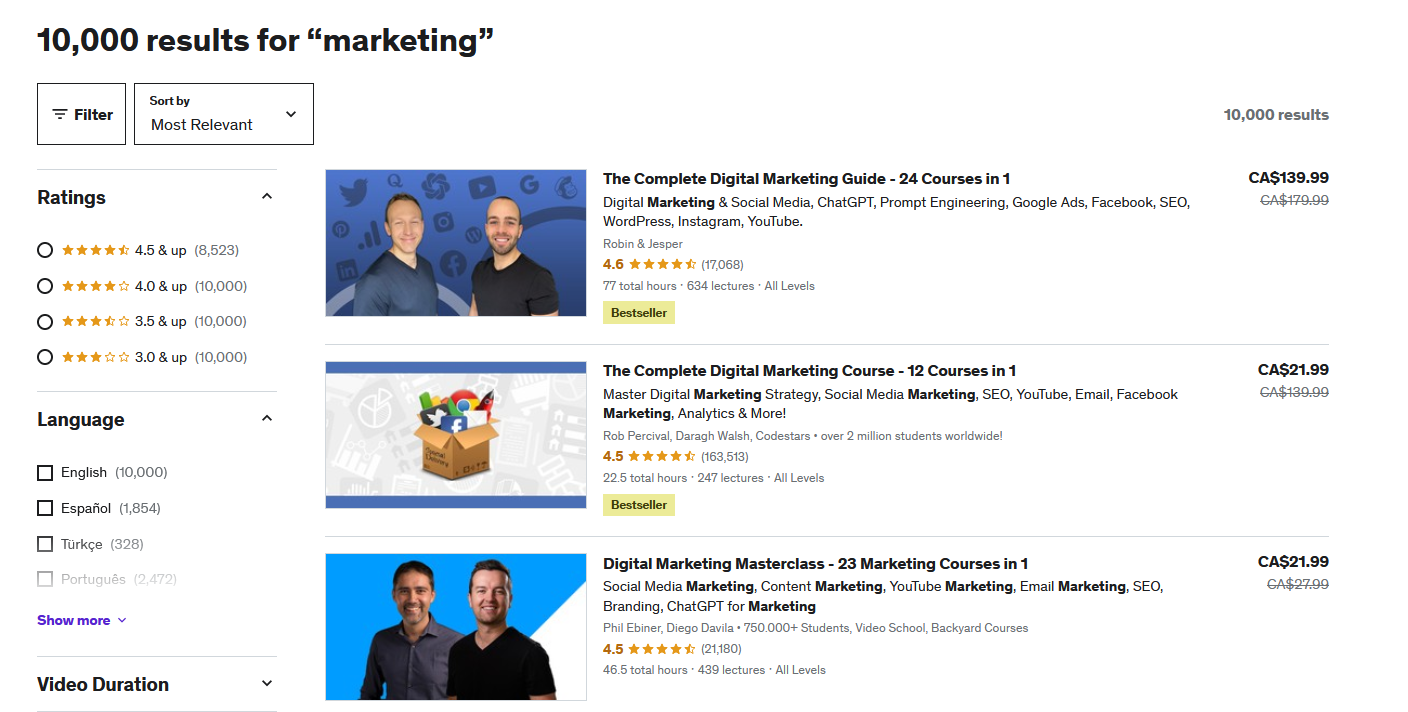
Udemy is a course marketplace, meaning you list your course alongside thousands of other online courses. The pro: you get a built-in audience, exposure, and a ready-made platform. The cons: you're competing for students and you earn less per sale than on a dedicated course platform.
Udemy offers over 280,000 courses and they've built software that allows creators and entrepreneurs to automate their courses easily. Because of this, Udemy has become a popular Teachable alternative for entrepreneurs and people working in tech-related fields.
Udemy allows video, text, and audio lectures, as well as robust quizzes, Q&As, reviews, and more. Students can download course videos for offline viewing in the Udemy mobile app. Other course resources and practice content may not always be downloadable, and desktop video downloads depend on instructor settings. Additionally, Udemy has some basic community building tools, like giving creators the ability to send new students a welcome message.
If you sell a course to someone who comes through your own link, you keep 97% of your revenue. But if you sell to someone from their platform, you only keep 37%. That's an important trade-off that's worth understanding. You gain more exposure but potentially lose a portion of revenue. You also don't get access to your students' email addresses; they're Udemy's customers, not yours.
However, Udemy has a reasonable compensation model and lets you keep a lot of the revenue for students you bring in yourself, making it a good marketplace option.
Podia
Best Teachable alternative for websites
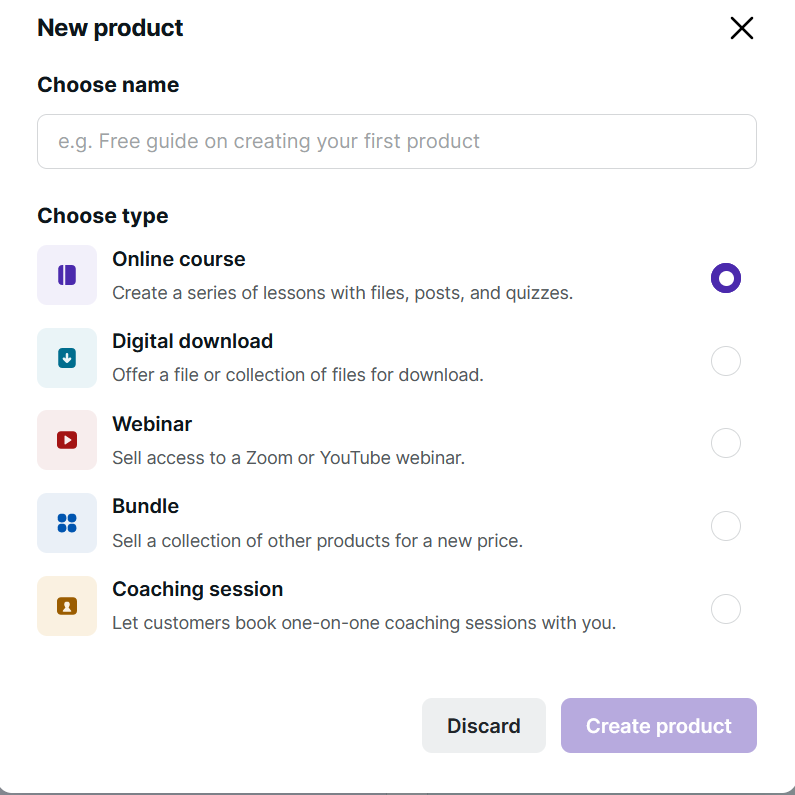
Our final alternative to Teachable is Podia, a website designer that offers some features for online courses, memberships, and digital products platform. The website design feature is strong, with lots of templates to work from. Podia has drag-and-drop design and the option to make a true, multipage website.
On Podia, you can create a wide range of content that exists within one digital storefront. This is convenient because their user interface is easy to navigate and customize to fit your business needs. Some examples of what you can build on Podia are online courses, digital memberships, one-off webinars, and digital downloads. And Podia has a native email marketing platform built-in.
When it comes to actually adding courses, Podia has a simple LMS that lets you build courses with a drag-and-drop editor. You can do self-paced or cohort courses, dripping content if needed, and there's a basic discussion forum in the course modules.
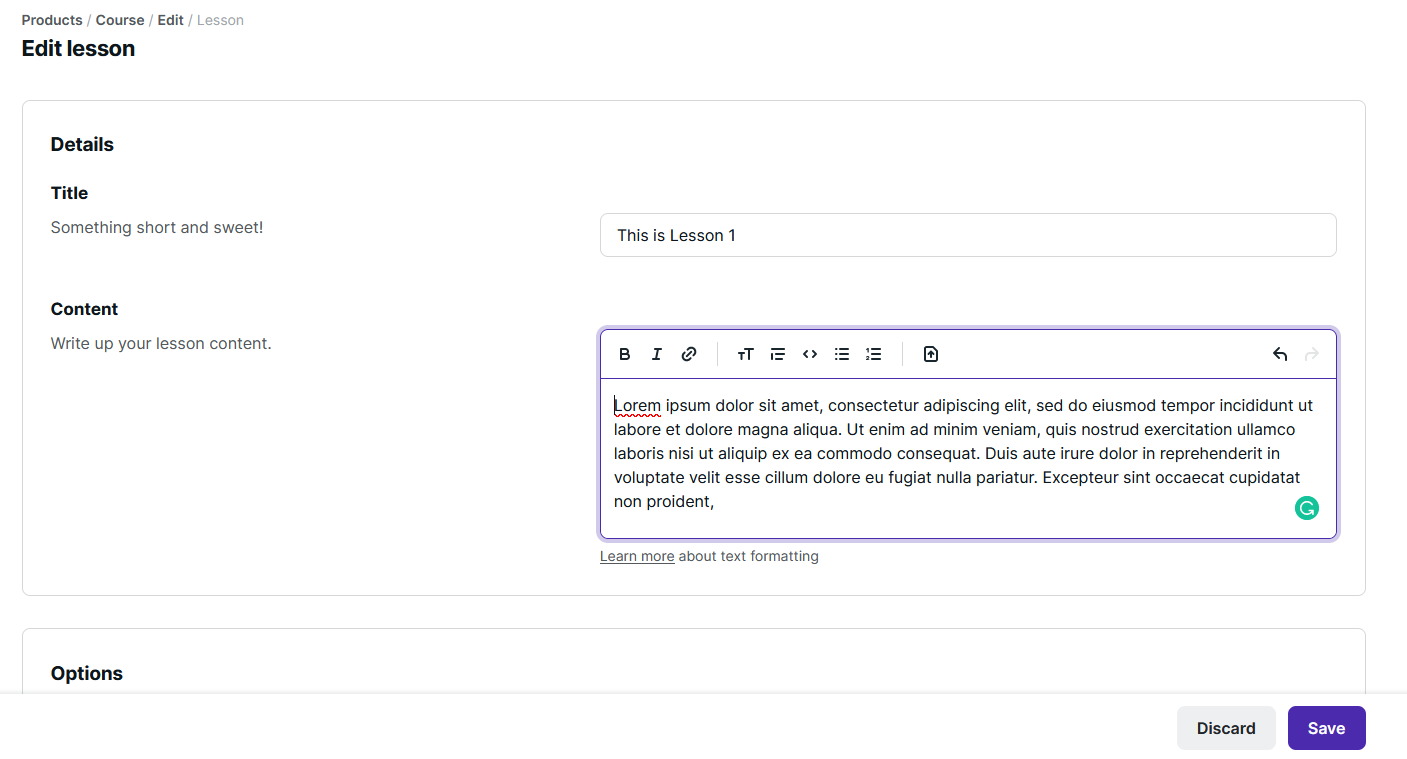
The downside to Podia is that it's limited for community-building and live teaching tools. And it doesn't have mobile apps at all.
How to move off Teachable
Step 1: Export your content and data
The first step is to pull what you can or need from your existing Teachable course. Take stock of what's there, what you want to move, and what you want to remake. And OF COURSE, don't forget to export any member lists, emails, completion data that you'll need later.
By default, Teachable exports a CSV with student names, emails, phone numbers, last login, sign-up date, courses enrolled, sign-up sources, and sign-in counts. Any course content needs to be downloaded manually.
Step 2: Figure out what your new offer looks like
What are you creating on your new space? An exact replica of your Teachable course? Or, will you take advantage of a new platform with better features to offer more? A live course? An event? A gamified learning experience?
Before you choose your platform, it's a great idea to figure out what you want to offer. This helps you plan what you'll need. If you're moving because of bumping up against existing Teachable limits for either plan caps or other features it doesn't have, taking stock here can help you find the next platform.
For example, if you decide you'd rather teach live, you'll need a platform with livestreaming.
Step 3: Choose your Teachable alternative
Decide which platform will host your member offer. Sign up, and start building!
Set up content, plans, and payment.
Migrate any content you're replicating on the new platform.
Create ways for existing members to jump over (e.g. with specific plans or coupons).
Build your brand and customize your course modules and content.
Decide if you'll migrate current plans and course payments or if you'll start fresh. Remember to let your affiliates know if you have active affiliate links, and plan to set up a redirect.
Step 4: Start hyping the move
As you build, you can get members ready for the move to a new space. Here are a couple of ideas to make this great.
Plan a launch event or special offer to encourage members to move over. For example, a really great digital conference can make it feel like a natural shift.
Email instructions for how members can join the new space.
Start talking about it on social media.
Step 5: Launch!
After this prep work, you are ready to launch! Here are a few things to keep in mind.
Don't keep creating content on Teachable. At some point, when you've given your members enough notice, stop. Otherwise you split focus and make it less likely people will make the jump.
Redirect any social posts, landing pages, email links, etc. to your new course platform. Redirect old Teachable urls (301 redirects if you can) to preserve SEO equity if it exists.
Keep inviting and encouraging people to join. Remember, it's possible not everyone will make the jump. Focus on serving those you can help and keep moving! You're creating something better than what you had before.
Conclusion
The best alternative to Teachable depends on what you want to build. Hopefully this article has given you a good sense of the options.
If you're looking for software to host courses and community together, try Mighty Networks. It integrates a rich course platform for live and/or pre-recorded courses with G2's top community management software.
You can try Mighty free for 14 days, no credit card required.
FAQs
1. Which alternatives support white-label mobile apps, and what extra costs are involved?
Several of the options above have white-label app options. Kajabi has a branded app, however, it's important to note that customers still need to set up developer accounts and participate in parts of the Apple and Google publishing process. Both Circle Plus and Mighty Pro offer branded community apps for creators and brands that want a fully branded mobile experience.
2. Can I use my own domain name with these Teachable alternatives?
Most of the course software above gives you the option to add a domain name. The exception is the marketplace (e.g. Udemy), which doesn't–because you're building on their platform rather than paying for your own platform to build on.
Ready to start building your community?
Start a free 14-day trial to explore Mighty—no credit card required.
More like this


Join Mighty Community
Learn the principles of Community Design™ (and see them in action) alongside thousands of creators and entrepreneurs. It's free to join!


Online Courses
Creating a Course
Teaching a Course
Course Platforms
Selling a Course
Communities & Memberships
Community Platforms
Managing a Community
Building a Community
Growing a Community
Monetizing a Community
Creators & Entrepreneurs
Monetization
Content Creation
Starting a Business
Website Builders
Creating & Managing a Website
Events
Event Platforms
Hosting & Marketing Events
Branded Apps
Creating a Mobile App
Coaching Apps
Community Apps
Coaching
Mastermind Groups
Starting a Coaching Business
Coaching Platforms
Filter by Category
Online Courses
Communities & Memberships
Creators & Entrepreneurs
Events
Branded Apps
Coaching
Start your free trial
14 Days. No Credit Card Required.